Egocentric Data
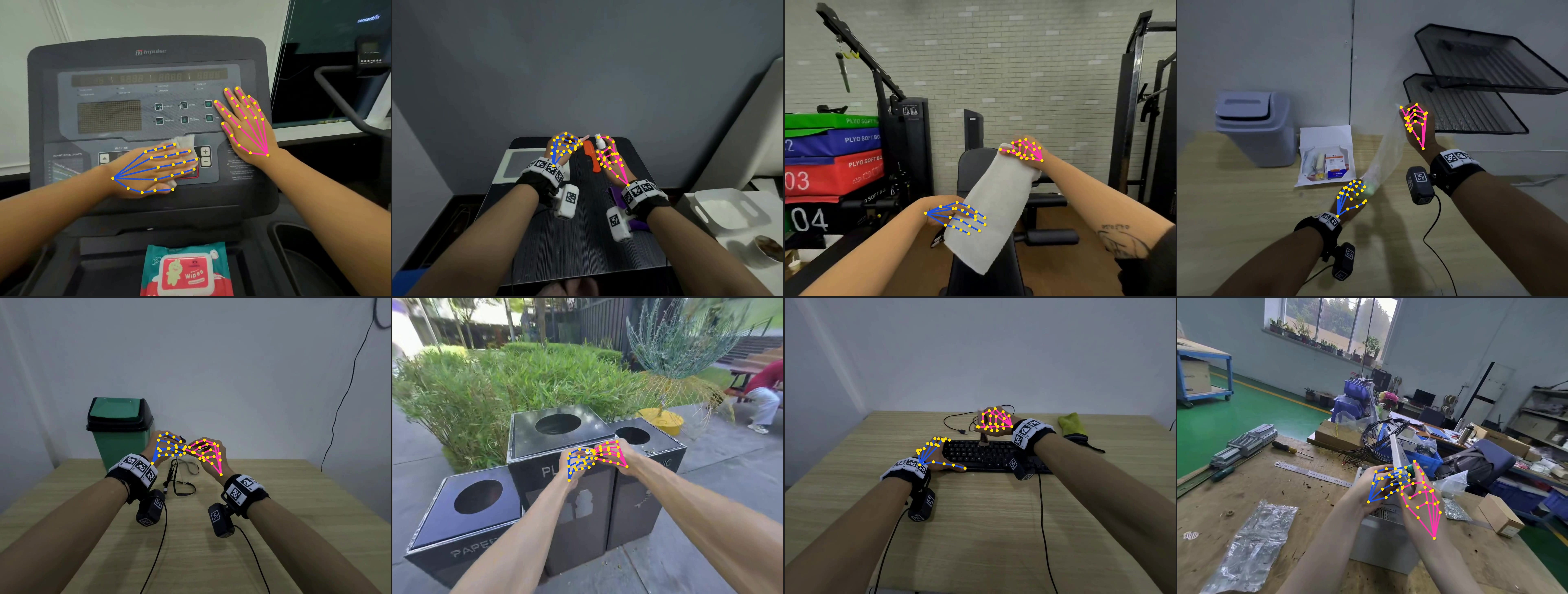
Examples of hand pose overlays on egocentric camera images.
EgoSuite egocentric data is available in two complementary formats: MCAP Data and LeRobot Data. Both represent the same kind of egocentric human activity episodes, but they are optimized for different workflows.
| Format | Best for | Main contents |
|---|---|---|
| MCAP Data | Raw multimodal episode playback, inspection, conversion, and visualization | Protobuf topics for metadata, pose, RGB camera, depth camera, point cloud, audio, and semantic annotation |
| LeRobot Data | Robot learning datasets, model training, and data loading pipelines | Parquet state data, MP4 videos, task/subtask metadata, episode stats, optional point clouds, and the original annotation file |
MCAP Data
MCAP is the native EgoSuite recording format. A single .mcap file stores synchronized topics for an episode. It is useful when you need the original multimodal streams, timestamps, calibration topics, or Foxglove visualization.
The MCAP documentation is organized by topic group:
| Section | Content |
|---|---|
| Metadata | Session-level information, capture devices, task info, operator, and global timing |
| Pose | Head, Hand, and Body pose in world coordinates |
| Sensor | RGB Camera, Depth Camera, PointCloud, and Audio |
| Semantic Annotation | Task, subtask/action segments, skill names, and segment time bounds |
RGB camera streams are documented separately for head-mounted and wrist-mounted cameras. Depth camera data is documented as a sibling sensor page because it uses depth images, intrinsics, and extrinsics rather than RGB video semantics.
LeRobot Data
LeRobot Data is the training-oriented export format. It converts an EgoSuite episode into a LeRobot v3.0-style dataset folder with:
data/chunk-*/file-*.parquetfor per-frame state data.videos/observation.images.{cam}/chunk-*/file-*.mp4for camera streams.meta/tasks.parquetandmeta/subtasks.parquetfor task and subtask index mappings.meta/episodes/chunk-*/file-*.parquetfor episode-level metadata and statistics.- Optional
pointcloud/files and the originalannotation.json.
See Format Specification for the folder structure, parquet schemas, pose joint conventions, and task/subtask metadata layout.
Choosing a Format
Use MCAP Data when you want topic-level access, calibration data, visualization, or conversion from the original recording. Use LeRobot Data when you want a dataset layout that is ready for robot learning workflows, including frame-aligned state columns and video files.