Head Camera
The EgoSuite headset provides two head‑mounted RGB cameras. In the MCAP files, these cameras appear as separate topics for:
- Compressed video streams
- Per‑camera intrinsics (calibration)
- Per‑camera extrinsics (pose per frame transforms)
Coordinate Frames
Head cameras use consistent coordinate conventions across the dataset:
-
World Frame:
- All EgoSuite pose data (body and hands) is expressed in a world frame.
- The camera extrinsics relate this world frame to each camera frame.
-
Camera Frame (OpenCV convention):
- Camera projections use the standard OpenCV camera coordinate system:
- axis points forward from the camera.
- axis points to the right in the image.
- axis points down in the image.
- This convention is used for the intrinsic matrix , the distortion model , rectification , and the projection matrix , as well as for the extrinsic rotation and translation .
- Camera projections use the standard OpenCV camera coordinate system:
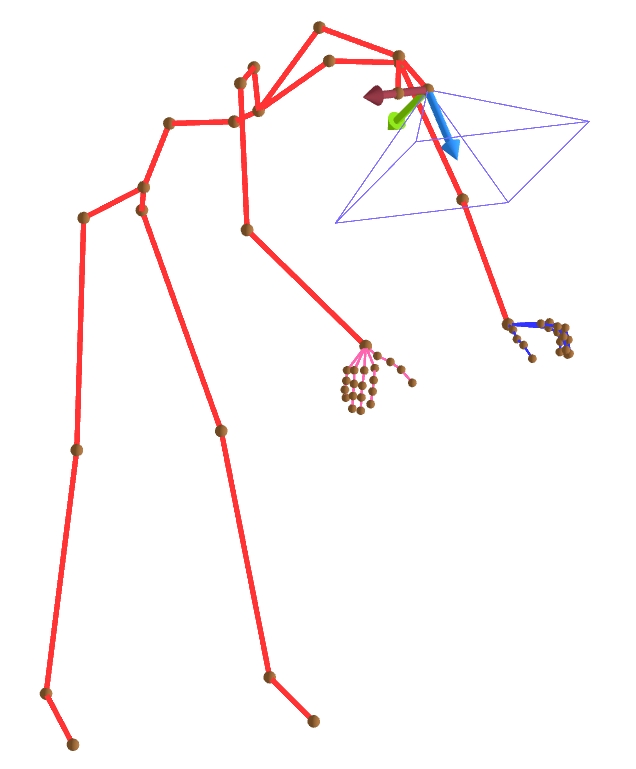
Camera coordinate frame (OpenCV convention): z-axis forward (blue), x-axis right (red), y-axis down (green).
Topic & Message Type
The following topics correspond to the head cameras. All channels use protobuf encoding:
-
Left RGB Camera:
- Video topic:
/sensor/camera/head_left/video - Message type:
foxglove.CompressedVideo - Intrinsic topic:
/sensor/camera/head_left/intrinsic - Intrinsic type:
foxglove.CameraCalibration - Extrinsic topic:
/sensor/camera/head_left/extrinsic - Extrinsic type:
foxglove.FrameTransforms
- Video topic:
-
Right RGB Camera:
- Video topic:
/sensor/camera/head_right/video - Message type:
foxglove.CompressedVideo - Intrinsic topic:
/sensor/camera/head_right/intrinsic - Intrinsic type:
foxglove.CameraCalibration - Extrinsic topic:
/sensor/camera/head_right/extrinsic - Extrinsic type:
foxglove.FrameTransforms
- Video topic:
Head camera video topics carry compressed video frames as foxglove.CompressedVideo messages. You can inspect, play back using Foxglove Studio or export these streams with LW-Egosuite-Devkit.
Camera Intrinsics
Camera publishes its calibration on a dedicated foxglove.CameraCalibration topic. For field definitions (including width, height, intrinsic matrix K, distortion model and parameters D, rectification matrix R, projection matrix P, and frame_id), see CameraCalibration documentation.
Camera Extrinsics
Camera extrinsic info is expressed as foxglove.FrameTransforms message.
For field definitions (e.g. parent_frame_id, child_frame_id, translation, rotation), see FrameTransform documentation.
In EgoSuite MCAP files, camera extrinsic message represents the position and orientation of the cameras in world frame. The message uses parent_frame_id = world and child_frame_id = camera, with translation giving the camera center position and rotation (as a quaternion) giving the camera's orientation.
Computing the W2C (world-to-camera) extrinsic matrix
The EgoSuite MCAP extrinsic camera message uses the C2W (camera-to-world) convention. The following code converts it to a W2C (world-to-camera) extrinsic matrix, which transforms a point from world coordinates to camera coordinates.
import numpy as np
from scipy.spatial.transform import Rotation as R

R_c2w = R.from_quat([quat_x, quat_y, quat_z, quat_w]).as_matrix()
t_c2w = np.array([pos_x, pos_y, pos_z])

R_w2c = R_c2w.T
t_w2c = -R_w2c @ t_c2w
Typical Usage
Common use cases for head camera data include:
- Visualizing egocentric RGB streams aligned with human pose.
- Projecting 3D body or hand keypoints into image space using
CameraCalibrationplusFrameTransforms. - Synchronizing multi‑camera data (head and wrist cameras) using the shared MCAP timeline and topic timestamps.
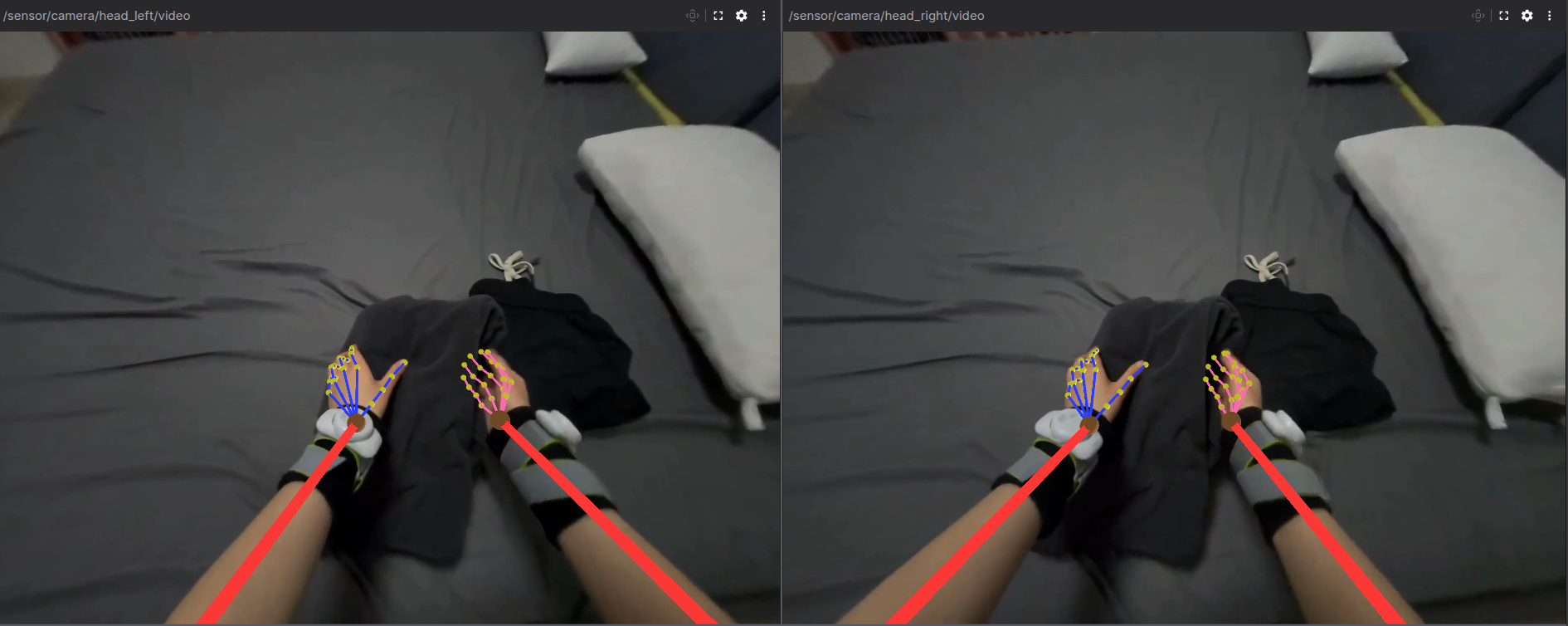
Example head camera image.
Left – view from the left head camera; right – view from the right head camera.
Body pose and hand pose are projected into each image.