PointCloud
Some EgoSuite episodes include 3D point clouds captured alongside human pose. These point clouds provide a dense representation of the surrounding geometry and can be used together with body/hand keypoints and camera images.
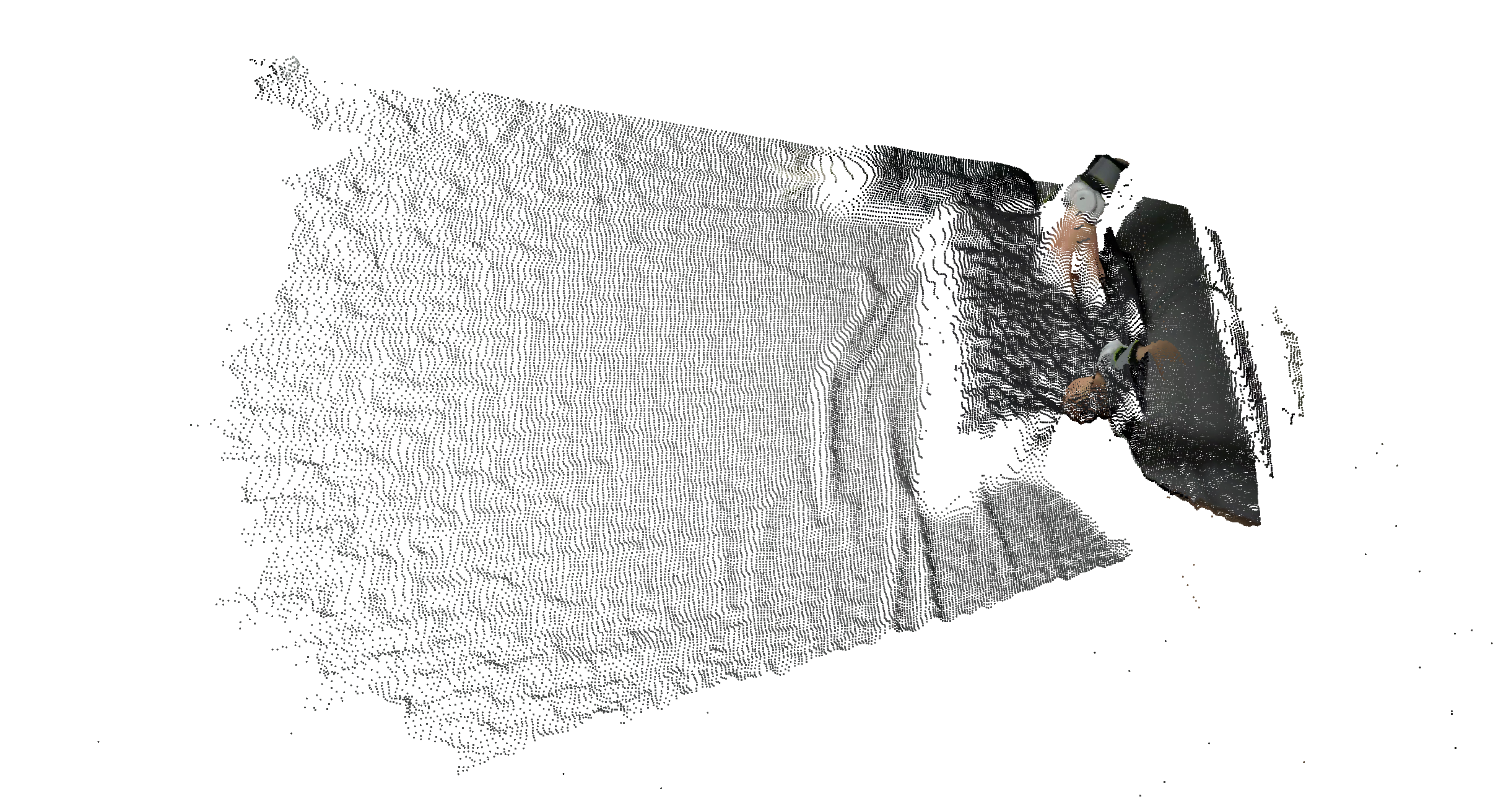
Example 3D point cloud frame.
Coordinate Frame
Point clouds are expressed in the EgoSuite world frame:
- All body and hand pose data are also given in this world frame.
- This makes it straightforward to:
- Overlay 3D skeletons (body and hands) onto the point cloud.
- Measure distances between human joints and surfaces.
- Fuse point cloud geometry with camera views using the known extrinsic transforms.
Downstream viewers can visualize the point cloud together with body and hand keypoints to better understand human–environment interactions.
Topic & Message Type
- Topic:
/pointcloud - Message Type:
foxglove.PointCloud - Encoding:
protobuf
The point cloud message follows the foxglove.PointCloud schema.
In MCAP file, the point cloud data is stored using a compact fixed-stride memory layout:
point_stride: 16 bytes per point.fields:- x, y, z at offsets 0, 4, 8 (type: FLOAT32).
- red, green, blue, alpha at offsets 12, 13, 14, 15 (type: UINT8).
data- Binary blob containing all points, concatenated with the fixed
point_stride. - Colors are stored as packed RGB (PCL convention), unpacked into the four channels above; alpha is fixed to 255.
- Binary blob containing all points, concatenated with the fixed
Timing & Synchronization
Point clouds are time‑stamped so they can be aligned with other modalities:
- Each
foxglove.PointCloudmessage carries a timestamp in nanoseconds on the global MCAP timeline. - This enables:
- Synchronized visualization of point clouds with other sensors.
- Joint analysis of 3D geometry, body pose, and hand pose at each moment in the episode.
Typical Usage
Together with pose and camera data, /pointcloud can be used for:
- Visualizing the 3D scene while overlaying body and hand keypoints (see the pose documentation for joint definitions and example diagrams).
- Estimating contact surfaces or support geometry for manipulation tasks.
- Building 3D occupancy or signed distance representations of the environment.
Use Foxglove Studio or the EgoSuite Devkit to list the /pointcloud topic, inspect point counts, and render point clouds over time.
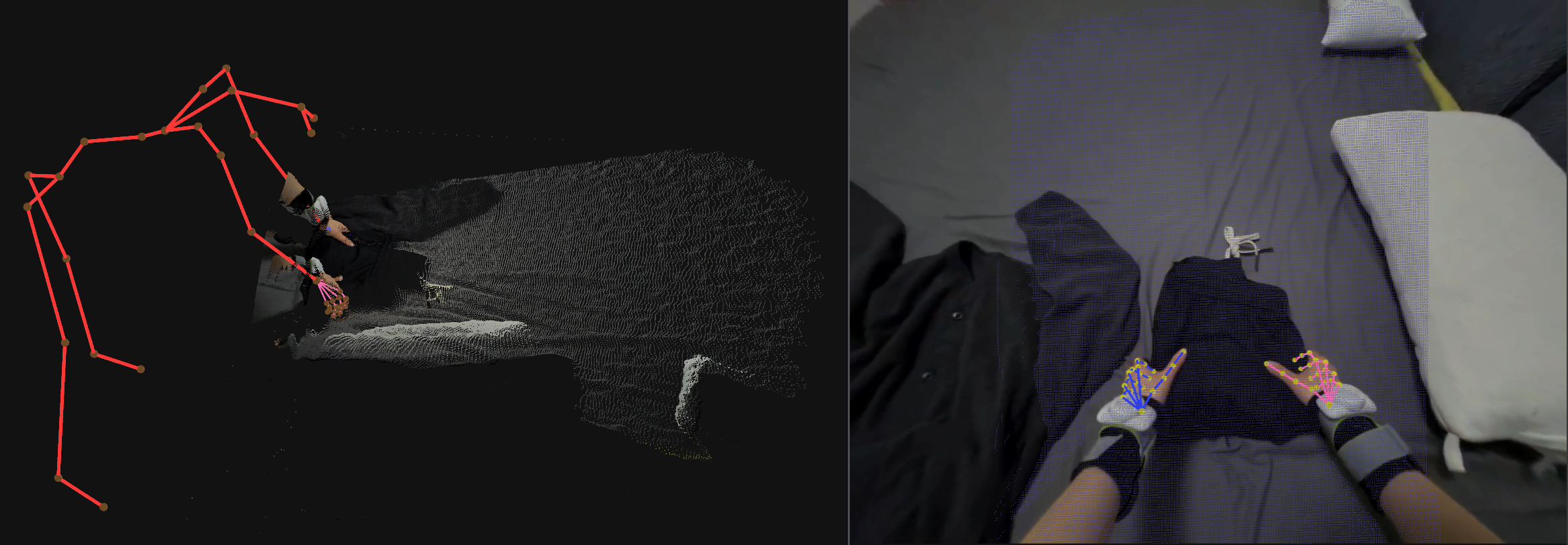
Left – Example 3D point cloud with body skeleton and hand keypoints in the world frame.
Right – corresponding head camera image with projected pointcloud and hand keypoints.